Documentation/Free Templates
Free Templates
Free Excel templates that work standalone or with Excelendar. Use them as simple spreadsheets, or connect to Excelendar for automatic syncing with your Outlook calendar.
Meetings Tracker Template
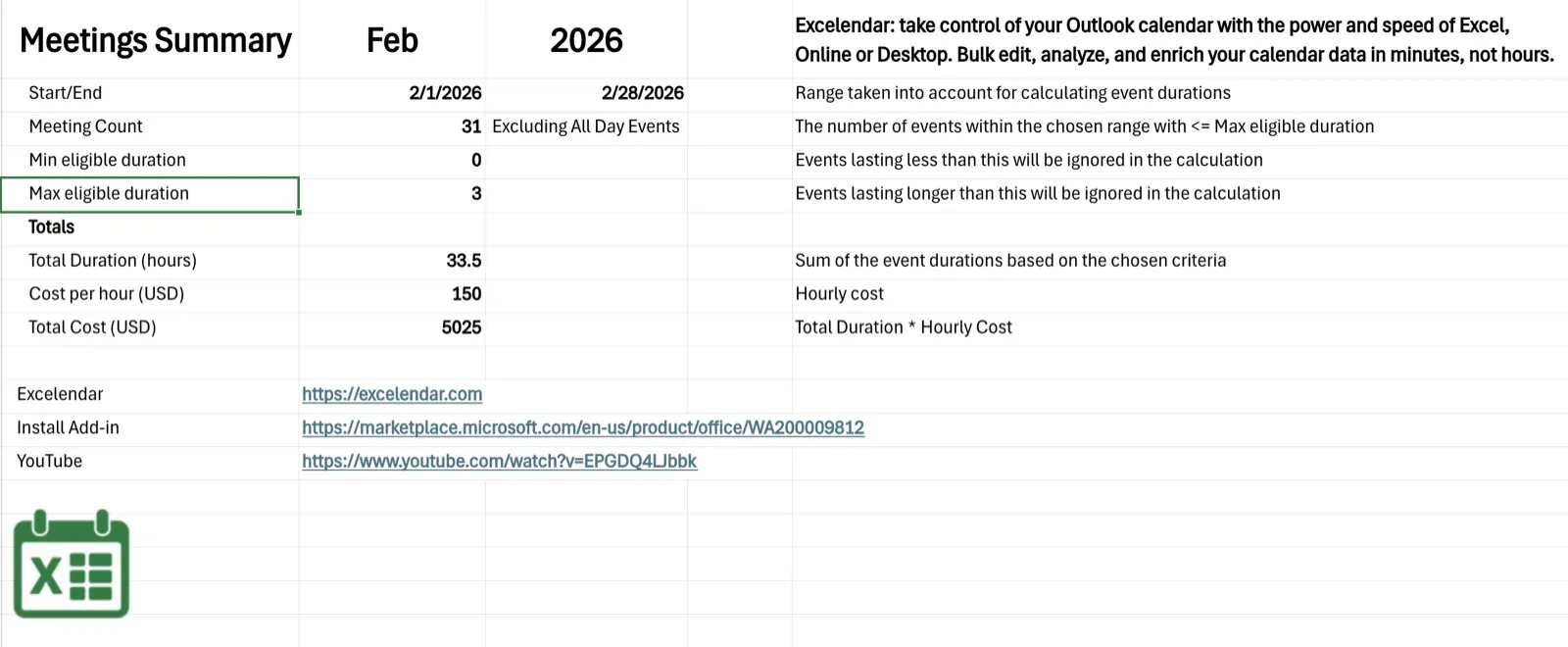
Track time spent in meetings with automatic duration calculations and weekly or monthly summaries. Use it standalone for manual time entry, or with Excelendar to import your Outlook meetings and see exactly where your time goes.
Features:
Download: MeetingsTracker_template.xlsx
How to Use
1. Download the template and open it in Excel Online or Excel Desktop
2. To use with Excelendar: install the add-in, open the taskpane, sign in, then click Link Calendar to connect the sheet to an Outlook calendar. Once linked, use Import and Export to sync events
3. To use standalone: manually enter events in the Calendar sheet
Configuring the Summary Sheet
The Summary sheet calculates totals based on your calendar data. Configure it by editing these cells:
The summary updates automatically as events are added or modified.